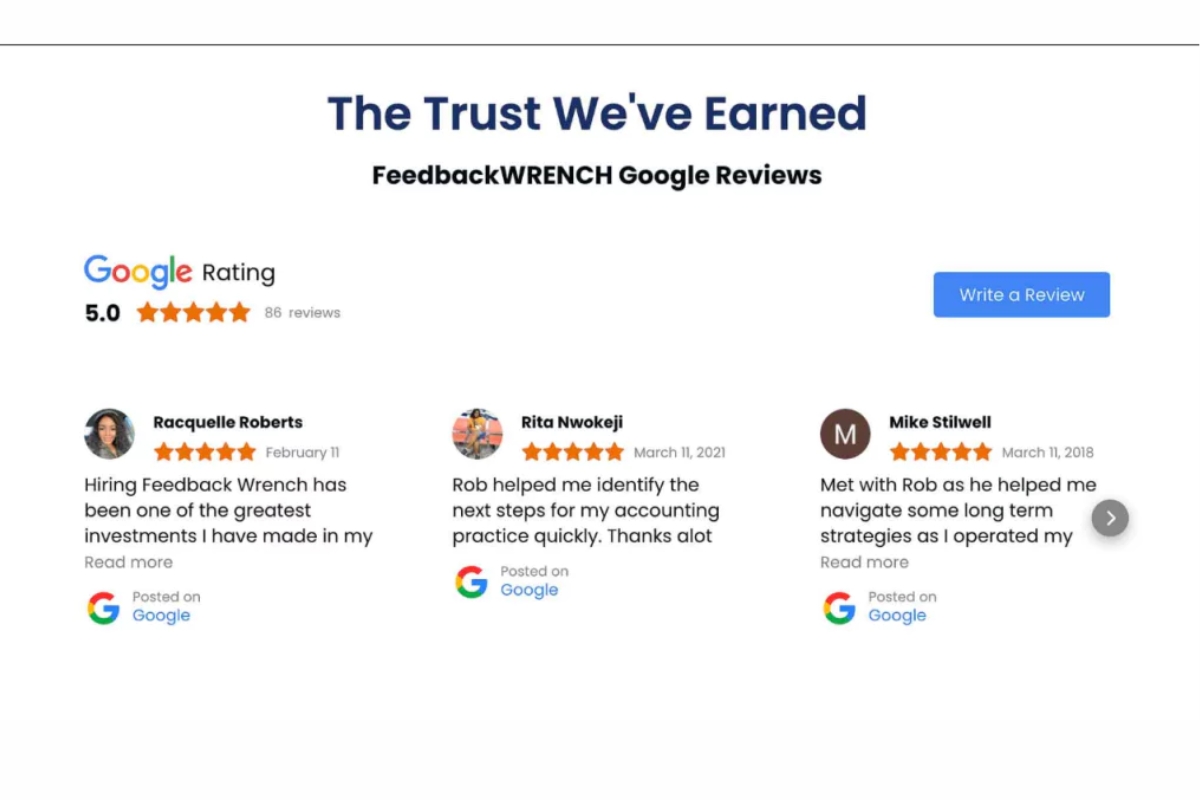
In a digital age where users scrutinize online businesses, having visible, authentic social proof is essential. Social proof validates your brand’s reputation and builds trust, encouraging site visitors to convert. For digital marketers, showcasing social proof on Squarespace, including methods to embed Google reviews on Squarespace, can dramatically increase engagement and conversions by offering reassurance through testimonials, reviews, user-generated content, and more. In this guide, we’ll explore actionable strategies for incorporating social proof into your Squarespace website and converting hesitant visitors into loyal customers.
1. Understanding the Importance of Social Proof
Before diving into implementation, let’s discuss why social proof matters so much. Social proof acts as a psychological trigger, reassuring potential customers that your business is trustworthy based on others’ experiences. This assurance reduces hesitation and boosts conversions.
For Squarespace users, incorporating social proof effectively leverages a visually appealing platform to increase credibility. Many consumers check reviews, testimonials, or any form of validation before making purchasing decisions. With social proof, you’re meeting these expectations, creating a more persuasive website experience.
2. Types of Social Proof to Use on Squarespace
There are multiple types of social proof that work exceptionally well on Squarespace, including customer testimonials, product reviews, influencer endorsements, and user-generated content (UGC). Each type serves a unique purpose and can appeal to different visitor mindsets.
For example, customer testimonials offer a personal touch by showcasing real user experiences. Reviews can provide insights into product quality, while influencer endorsements and UGC add a relatable, authentic aspect to your brand’s appeal. Selecting the right types of social proof to showcase on your Squarespace site is crucial for reaching your target audience effectively.
3. Adding Customer Testimonials: Building Relatability
Testimonials are among the most powerful forms of social proof. These statements from satisfied customers add an element of authenticity and relatability. Displaying these on your Squarespace site can help prospective customers envision their own positive experience.
To integrate testimonials on Squarespace, consider using the Quote Block or the Summary Block. These tools enable you to add testimonials in a visually appealing way. Don’t forget to personalize each testimonial with customer names, locations, and, where applicable, a photo—this level of detail adds to the credibility and impact of each testimonial.
4. Showcasing Product Reviews: Building Transparency
Product reviews are equally essential in building transparency and guiding purchasing decisions. Displaying reviews directly on product pages is an effective way to provide unbiased insights. Reviews give potential customers honest feedback and may even help them resolve doubts.
You can embed reviews from trusted platforms like Google Reviews or Yelp by using Squarespace’s Embed Code block. Alternatively, using third-party integrations such as Tagbox or EmbedSocial allows you to display these reviews seamlessly on your Squarespace site, making it easy for visitors to trust your brand.
5. Using User-Generated Content to Create Authenticity
User-generated content (UGC), like photos or videos of your products shared by actual customers, adds a real-world perspective to your brand. UGC often resonates deeply with visitors, as they can relate more easily to content from other consumers rather than from the brand itself.
Squarespace supports several ways to display UGC. The Gallery Block and Image Blocks can showcase photos, while video content can be embedded using the Video Block. Displaying UGC on your Squarespace site not only builds authenticity but also encourages other customers to share their experiences.
6. Adding Social Media Feeds for Real-Time Validation
Social media feeds add a dynamic form of social proof by displaying recent customer interactions and brand updates in real-time. For instance, embedding a live Instagram or Twitter feed on your Squarespace site can showcase recent customer engagements, events, or promotions.
Using platforms like Taggbox or Tagembed, you can embed social media feeds on your Squarespace site with ease. Adding real-time updates like positive mentions or tagged customer photos reinforces your brand’s active community and creates a continuous cycle of social proof.
7. Highlighting Influencer Endorsements
Influencer endorsements combine the power of a trusted personality with the appeal of your product. Partnering with relevant influencers who align with your brand can help you reach a larger audience while showcasing a trusted opinion.
You can feature influencer endorsements on Squarespace by creating dedicated testimonial or review sections or by embedding influencer posts using the Embed Code feature. Additionally, linking back to influencer social media profiles allows visitors to view these endorsements firsthand, enhancing credibility and appeal.
8. Using Trust Badges and Certifications for Credibility
While not traditional social proof, trust badges and certifications validate your brand’s reliability. Examples include security certifications, partnership badges, or awards—each of which serves as a reassuring signal for potential customers. Adding these badges to your Squarespace website is simple. Use Image Blocks to prominently display trust badges on key pages like your homepage or checkout page.
Additionally, consider using the Tagbox Google Reviews Widget for Squarespace to showcase customer feedback, further building credibility and trust. By adding this level of security and social proof, you assure visitors that your brand is not only trusted by customers but also meets industry standards.
9. Encouraging and Showcasing Customer Ratings
Customer ratings, typically shown as star ratings, offer quick visual validation. Star ratings next to product names or testimonials instantly communicate quality, making them ideal for e-commerce businesses using Squarespace.
Adding a plugin like Yotpo or EmbedSocial lets you add star ratings on product pages, making ratings visible on Squarespace without extensive coding. Highlighting products with high ratings builds confidence in your offerings, helping customers decide faster.
Each of these strategies for social proof on Squarespace can work individually or in tandem. By showcasing reviews, testimonials, user-generated content, social media feeds, and trust badges, you’re providing ample validation to earn your visitors’ trust. The key is consistent, strategic implementation to reinforce credibility and drive conversions on your Squarespace website.
 Social Feeds
Leave a comment