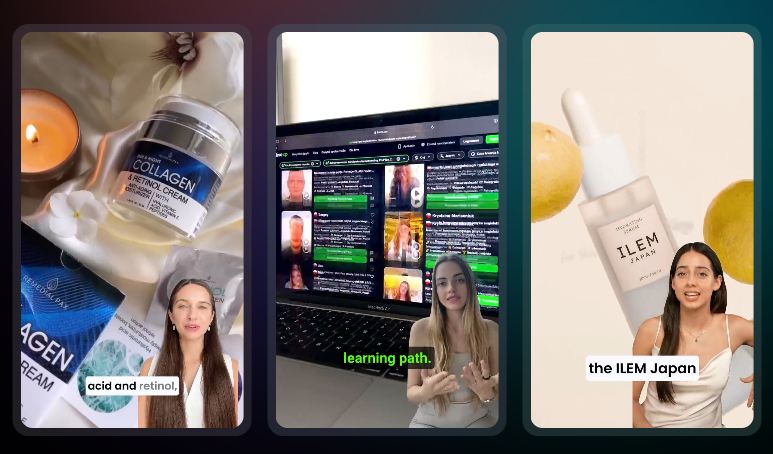
Small businesses are finding themselves at a crossroads. On one hand, they understand the power of authentic user-generated content (UGC) in building trust and community. On the other hand, the cost, time, and consistency required to source high-quality UGC can be overwhelming.
This is where AI-generated UGC videos come into play. Thanks to advances in AI video generation tools, even small businesses with limited budgets can now create engaging, personalized, and on-brand UGC-style videos without hiring influencers or video editors.
If you’re a small business owner wondering how to leverage this technology effectively, here are five practical ways you can use AI UGC videos on social media to grow your audience, build trust, and drive sales.
1. Create Product Review Videos Without Relying on Influencers
Let’s face it—getting real customers to film themselves reviewing your product is tough. They may not have the right lighting, confidence, or interest in creating content. Meanwhile, hiring influencers or content creators can be expensive, especially for a small business.
With AI UGC video tools, you can now generate realistic-looking “review-style” videos using AI avatars or virtual humans. These videos can mimic natural speech, facial expressions, and gestures, giving the feel of a genuine testimonial.
Example:
A small skincare brand can use AI to create a video of a person saying,
“I’ve been using this vitamin C serum for a week, and I’m already seeing a glow. It’s lightweight, absorbs quickly, and smells amazing!”
This type of video adds social proof and emotional connection—two powerful elements of purchase decisions.
How to Use:
- Share them in Instagram Stories or Reels
- Use them in Facebook and Instagram Ads
- Pin them on your product pages for added credibility
2. Announce Promotions with Personalized, Human-like Videos
Instead of the usual static graphic with “20% OFF THIS WEEKEND,” why not have a virtual AI presenter say it in a short, dynamic video?
AI UGC tools can create video announcements that feel personal and engaging, like someone is talking directly to the viewer. This can significantly boost click-through rates and viewer retention compared to traditional posts.
Example:
An AI-generated spokesperson can say:
“Hey, just popping in to tell you there’s a weekend flash sale—20% off everything in our online store. Don’t miss it!”
Add a relevant background, your brand’s colors, and a catchy jingle—and you’ve got a professional-grade promo video.
How to Use:
- Post them on Instagram Reels and TikTok
- Include them in Stories with swipe-up links
- Use as sponsored posts on Facebook
3. Educate and Onboard Customers with Step-by-Step Video Guides
AI UGC videos aren’t just for sales—they’re incredibly useful for customer education too. Whether you’re explaining how to use a product, assemble a kit, or get started with a service, video works better than text or images.
And with AI tools, you can create multiple versions quickly, update them often, and even personalize the content by region, language, or customer profile.
Example:
A small coffee brand could make an AI UGC video showing:
“Here’s how to brew the perfect cup with our French Press set. First, add two tablespoons of coarse-ground coffee…”
How to Use:
- Create a “How-To” highlight section on Instagram
- Post tutorials on YouTube Shorts or TikTok
- Add them to your FAQ page or thank-you email sequence
This not only enhances the customer experience but also reduces support queries.
4. Feature Customer Stories and Social Proof Using AI Avatars
Many happy customers may not be comfortable being on camera, but you can still bring their testimonials to life with AI avatars. By converting text reviews into short, engaging UGC-style videos, you give voice and emotion to otherwise static feedback.
This approach allows you to scale social proof like never before while maintaining authenticity.
Example:
Take a customer’s written review:
“Love the eco-friendly packaging and fast shipping. Will definitely buy again!”
Use AI to turn this into a 15-second video of a friendly avatar sharing that message—visually engaging and trust-building.
How to Use:
- Share on your Instagram feed with the original review as caption
- Use in Facebook Ads to establish brand credibility
- Include in a weekly “customer spotlight” campaign
5. Launch Seasonal Campaigns Quickly and Affordably
Traditional video production for seasonal campaigns (Diwali, Christmas, New Year, etc.) can take weeks and cost thousands. AI UGC videos let you react quickly and launch timely campaigns without the overhead.
You can customize the message, add themed visuals, and even localize the language—all within hours.
Example:
For a winter sale, you could create a cozy-themed AI video of a person saying:
“Winter is here, and so are the deals! Shop our new collection with 30% off all coats and knitwear—only this week!”
AI tools like Tagshop, Synthesia, or Colossyan make this possible in minutes.
How to Use:
- Share themed campaigns across all platforms
- Run time-sensitive promotions with urgency
- Create seasonal countdown videos (e.g., “Only 3 Days Left!”)
Bonus Tips for Making AI UGC Videos Work for Your Brand
Even with the best tools, the key to success lies in how you use them. Here are a few bonus tips:
- Keep it short and sweet: Aim for 15–30 seconds for social media formats.
- Stay on-brand: Use consistent colors, fonts, and tone across all videos.
- Humanize the script: Avoid robotic or overly formal language—write like a real person talks.
- Test and learn: Try different styles, messages, and voices. Track which formats perform best.
- Respect disclosure rules: While AI avatars are synthetic, if the video mimics real users, consider disclaimers for transparency.
Popular Tools to Try for AI UGC Video Creation:
- Tagshop – Great for generating UGC style videos with AI.
- Synthesia – AI avatars with multiple language support
- Pictory – Turn blog posts into UGC-style videos
- Colossyan – Advanced avatars with emotion control
- HeyGen – Known for its realistic voice and lip-sync quality
Start small, test often, and you’ll be surprised at how powerful AI UGC videos can be for your brand’s social media success.
Wrapping Up
AI UGC video tools are a game-changer for small businesses. They eliminate the traditional barriers to video content—cost, time, and talent—while opening up fresh, scalable ways to engage your audience.
From product reviews and promos to tutorials, customer spotlights, and seasonal campaigns, the potential use cases are endless.
The best part? You don’t need a marketing team or a studio setup. Just a few smart tools and a clear message—and you can start producing content that looks professional, feels authentic, and actually drives results.
If you haven’t explored AI UGC videos yet, now is the time. Your competitors might already be experimenting, and your audience is certainly ready for more engaging, personalized content.
 Social Feeds
Leave a comment