
If you tried to add a Twitter, sorry, X feed to your WordPress site a few years ago and gave up somewhere around the developer portal, you’re not alone. X’s API changes broke a huge chunk of the plugins that used to make this easy, and a lot of “best of” lists floating around still point to tools that quietly stopped working. Some plugins pivoted to their own connection layers. Others switched focus entirely to Bluesky or Mastodon. A few just went dark.
So before recommending anything here, every plugin below was checked directly on the WordPress.org plugin directory or the vendor’s own page for its current version, last update date, and active install count. A couple of names you’d expect to see (looking at you, Shared Counts) got dropped because they’ve actually been closed by their own developers. What’s left is a working shortlist across the three jobs people actually search for: showing an X feed on your site, auto-posting your content to X, and letting readers share your content back to X with a click.
Which one you need depends on what you’re trying to do. If you want a live Twitter feed widget on a page, you’re looking at a feed and embed tool. If you want your published posts to land on X automatically, that’s an auto-poster, and it usually means creating your own X Developer app. If you just want a “share this” button or a tweetable quote box, that’s a much simpler, lighter install. Here’s what’s actually working right now.
Top Rated Twitter (X) WordPress Plugins in The Future 2026:
You can find ample Twitter feed WordPress plugins in the WordPress directory. Here are some of the best, highly rated WordPress plugins for Twitter.
1. Tagembed Twitter Plugin

Tagembed takes a different approach to the classic “connect your account, hope the API holds up” problem. Instead of relying on you to maintain a developer app, it aggregates your X feed (along with Instagram, Facebook, YouTube, and a dozen other sources if you need them) through its own backend, then gives you a no-code widget to drop into any page. You can pull in a specific handle, a hashtag campaign, mentions, or a mix, and moderate what actually shows up before it goes live.
The part that tends to win people over is the layout flexibility. Grid, carousel, masonry, popup- you’re not stuck with whatever the default timeline widget looks like. There’s also built-in analytics so you can see whether that feed is actually getting engagement, not just sitting there.
One practical note: because Tagembed handles the X connection on its end, you skip the “apply for a developer account” step entirely, which is the part that trips up most beginners trying to do this the old-fashioned way.
Best for: Businesses and marketers who want a live X feed or hashtag wall without touching X’s developer portal, and who might want to combine X with other social feeds later.
Pricing: Free plan available for basic feeds; paid plans start at a low monthly rate for more feeds, moderation, and analytics.
2. Custom Twitter Feeds (by Smash Balloon) Plugin

This is the plugin most WordPress tutorials point to, and it’s earned that reputation. It was last updated within the past month and sits comfortably in the hundreds of thousands of active installs, so it’s not going anywhere. After X tightened its free API access, Smash Balloon built its own connection layer behind the scenes, which means your feed keeps refreshing without you needing a paid X developer plan.
Setup is a guided three-step flow, and you can display posts from a single public account for free. Layout options include list, grid, carousel, and masonry, and the feed inherits your theme’s styling automatically so it doesn’t look bolted on.
Best for: Sites that want a single, polished X timeline and don’t need to combine multiple social networks into one widget.
Pricing: Free for one feed from one account; Pro plans unlock multiple accounts, hashtag/keyword feeds, and moderation tools.
3. Easy Twitter Feeds Plugin

A lighter option if you just want a timeline or follow button without a lot of setup. It works through a shortcode, so you paste it into a post, page, or widget area and you’re done; no API keys required for the free version. You get some styling control over height, width, scroll behavior, and theme, and it was updated only a couple of weeks ago, so it’s actively maintained.
The trade-off is depth. This isn’t built for hashtag campaigns or moderation queues. It’s meant to get a timeline on your site fast, which is exactly what a lot of smaller blogs and portfolio sites need.
Best for: Bloggers and small sites that want a simple embedded timeline without configuring developer credentials.
Pricing: Free version covers the basics; Pro adds header/footer hiding, translation, and a tweet button, starting at a low monthly cost.
Auto-Poster Plugins: Push Your WordPress Content to X
A quick reality check before this section: every plugin here that auto-posts directly to X (rather than through a third-party queue) requires you to create your own Twitter (X) Developer App and generate API keys. That’s not a plugin limitation; it’s how X’s current API works. Whether you stay within X’s free tier or need a paid developer plan comes down to your publishing volume, since the free tier caps out around 1,500 posts a month for most accounts.
4. XPoster (formerly WP to Twitter) Plugin

One of the longest-running names in this space, XPoster has been rebranded twice now, first to reflect the platform’s name change, more recently to add Bluesky and Mastodon alongside X. It’s sitting at over 10,000 active installs and was updated within the last two months, with support confirmed up to the current WordPress release.
You get customizable status templates, the option to pull post tags in as hashtags, and rate limiting so you don’t accidentally blow past X’s API caps. The free version handles the basics well; scheduling, delayed posts, and per-author account connections are reserved for the Pro add-on.
Best for: Sites that have been auto-posting to Twitter/X for years and want a plugin that’s kept pace with every API change since.
Pricing: Free on WordPress.org; XPoster Pro adds scheduling and multi-author support for a one-time or annual fee.
5. Autopost for X (formerly Autoshare for Twitter) Plugin

Built by 10up and genuinely focused on doing one job well. The moment you hit publish, it sends your title, featured image, and link straight to X, with hooks available for developers who want to customize the image, author, or link that gets sent. It works in both the classic and block editors and shows up right in the pre-publish checklist, so it’s hard to forget to use.
It was last updated in February 2026, so it’s actively kept current with X’s API requirements.
Best for: Publishers who want dead-simple auto-posting without a multi-network dashboard getting in the way.
Pricing: Free.
6. Social Media Auto Poster Plugin By Social Post Flow Plugin
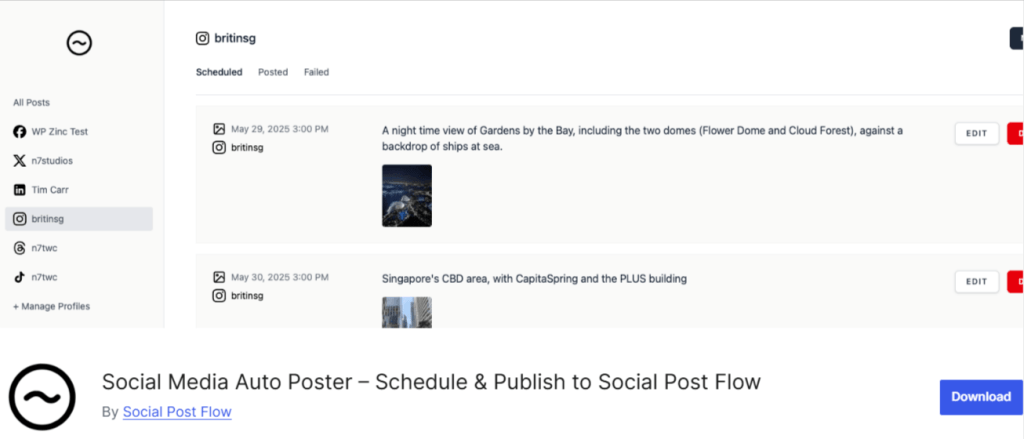
If you’re posting to more than just X, this is worth a look. One subscription covers auto-posting to eleven networks, including X, Threads, Bluesky, and Mastodon, from a single WordPress dashboard. It also integrates with SEO plugins like Yoast and Rank Math to pull in existing social metadata rather than making you re-enter everything.
It handles X’s rate limits automatically in the background, which matters more now that free-tier posting caps are a real constraint for active publishers.
Best for: Agencies or multi-network publishers who don’t want a separate plugin for every social platform.
Pricing: Around $49/year for unlimited sites and all supported networks.
7. NextScripts: Social Networks Auto-Poster (SNAP) Plugin

A veteran plugin that’s been through more social media rebrands than almost anything else on this list, and it’s still receiving security and compatibility updates as of early 2026, including confirmed WordPress 6.9 support. It auto-publishes to X plus over twenty other networks, and the free version covers a solid range of core functionality.
Best for: Sites already juggling accounts across many networks (Tumblr, LinkedIn, Pinterest, and more) that want one dashboard for all of them.
Pricing: Free core plugin; premium add-ons available for multi-user support and extra networks.
8. WP Twitter Auto Publish Plugin

A straightforward, no-frills option from XYZScripts. It posts new content to X automatically, filters by category or custom post type, and lets you customize your message format with template tags. It was updated about a month ago, so it’s current, and it’s a solid pick if the multi-network plugins above feel like more than you need.
Best for: Anyone who wants X-only auto-posting without extra networks cluttering the settings screen.
Pricing: Free.
Share & Click-to-Tweet Plugins: Let Readers Share on X
9. Better Click To Share (formerly Better Click to Tweet) Plugin

The name changed, but the shortcode [bctt] still works exactly like it always has, which is a relief if you’ve got years of content using it. This plugin lets you drop a styled, shareable quote box into a post; readers click it, and X opens pre-filled with your quote and a link back to your site. There’s a Gutenberg block, a slash command, and even an AI-assisted suggestion panel now for pulling quotable lines out of your draft automatically.
Best for: Content-heavy blogs that want to turn standout quotes or stats into shareable moments without a full social-sharing suite.
Pricing: Free on WordPress.org; a Premium Styles add-on unlocks more design options.
10. AddToAny Share Buttons Plugin

Around since 2006 and still one of the most reliable share button plugins available, with a rating that’s held steady near 4.8 stars. It covers more than 100 networks, including X, so if your audience is scattered across platforms, this handles all of them from one lightweight install rather than stacking several single-network plugins.
Best for: Sites that want broad share button coverage, not just X, without adding page bloat.
Pricing: Free.
11. Jetpack Social Plugin

If you’re already running Jetpack for other reasons, its social sharing and auto-share features cover X out of the box, no separate plugin required. It won’t have the deep customization of a dedicated auto-poster, but for sites that just want reliable, no-fuss sharing buttons and basic auto-posting bundled with security and performance tools they’re already using, it’s a practical option.
Best for: Sites already on Jetpack that want X sharing without adding another plugin to the stack.
Pricing: Free tier available; paid Jetpack plans unlock more social features.
Conclusion
These are the best WordPress Twitter plugins; they promise great performance, offer great features and help your website grow.
So what are you waiting for? Try these tools and make your WordPress website stand out from the rest.
At the end of the day, the right plugin comes down to which of the three jobs you actually have. If you want a live X feed or hashtag wall without wrestling with developer credentials, Tagembed or Custom Twitter Feeds will get you there fastest. If your goal is pushing new posts out to X automatically, plan on setting up your own X Developer App no matter which auto-poster you pick, and lean toward Autopost for X or Social Post Flow depending on whether you’re posting to one network or several. And if you just want readers to share your best lines back to X, Better Click To Share or AddToAny cover that without adding any real weight to your site.
Start with the one plugin that matches your immediate need rather than installing three at once, since overlapping feed and share tools tend to be where most WordPress sites end up slow and cluttered.


Leave a comment