When someone lands on your website for the first time, they don’t know you yet. They don’t know if your product works, if your service is reliable, or if you’ll actually deliver what you promise. This is exactly why customer reviews matter so much, and why Google reviews in particular carry so much weight.
Google is often the first place people check before they buy anything or hire anyone. So it only makes sense to bring that trust straight onto your own site. In this blog, we will walk through the real benefits of displaying Google reviews on your website, and why more businesses are choosing to do this in 2026.
Why Google Reviews Matter So Much
Google reviews are one of the most trusted forms of feedback online. Unlike testimonials that businesses write themselves, Google reviews come from verified customers who actually used the product or service. That authenticity is hard to fake, and visitors know it.
When you add these reviews to your website instead of leaving them buried on your Google Business Profile, you give visitors a reason to trust you without needing to leave your site and search elsewhere.
Top Benefits of Displaying Google Reviews on Your Website
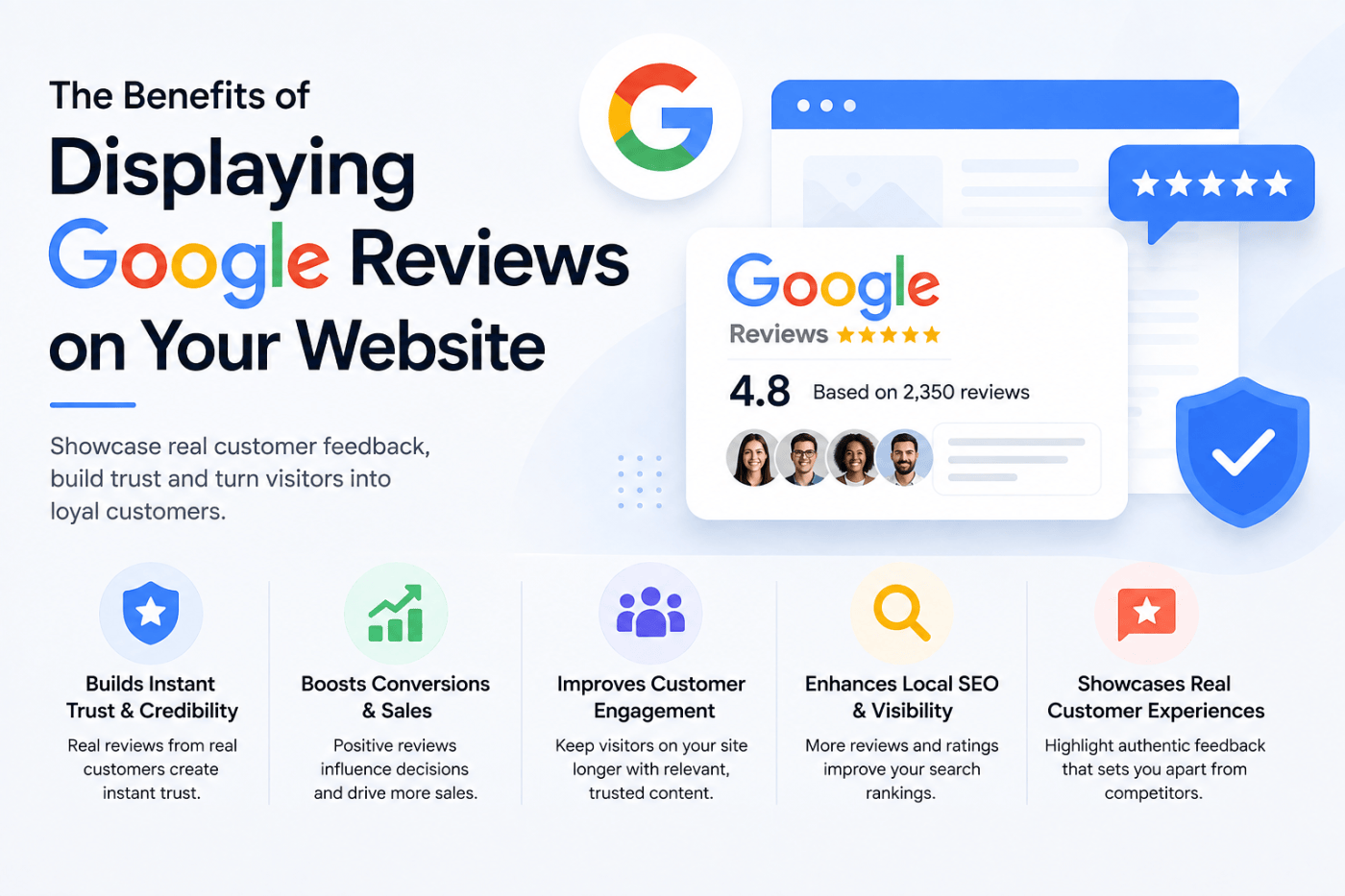
Once you understand why Google reviews carry so much weight, the next step is seeing exactly what they can do for your website. Here are the biggest benefits you can expect once you start displaying customer review.
1. Builds Instant Trust with New Visitors
First impressions matter a lot online. A visitor who sees real star ratings and honest customer feedback right on your homepage is far more likely to stick around and explore what you offer. Trust is the first step before any sale happens, and reviews do that job better than most marketing copy ever could.
2. Improves Conversion Rates
People are more likely to buy something or fill out a contact form when they see proof that other people had a good experience. Studies have shown again and again that reviews directly influence buying decisions. A pricing page or product page with genuine reviews next to it tends to convert better than one without.
3. Boosts Local SEO Rankings
Google pays close attention to reviews, especially for local businesses. Displaying Google reviews on your website, along with schema markup, can help search engines understand that your business is active, trusted, and relevant. This can support your local search rankings and help you show up in more searches related to your industry and area.
4. Keeps Your Website Content Fresh
Search engines like fresh content, and so do visitors. A review widget that updates automatically as new reviews come in adds fresh, unique text to your page without you having to write a single word. This is a simple way to keep your site active looking, even on pages you rarely update manually.
5. Reduces Customer Doubt and Hesitation
Even interested buyers hesitate sometimes. Maybe they are comparing you to a competitor, or maybe they just need one more nudge. Reading a review from someone who had the same doubt and ended up happy with their purchase can be that final push they needed.
6. Encourages More Customers to Leave Reviews
When customers see that their reviews are actually being displayed and valued, they feel more encouraged to leave one themselves. This creates a positive cycle where more reviews lead to more visibility, which then leads to even more reviews over time.
7. Strengthens Your Brand’s Reputation
A website full of only marketing claims can feel one sided. Adding real customer voices, including a few honest or mixed reviews, actually makes your brand feel more human and trustworthy. People don’t expect perfection, they expect honesty.
How to Display Google Reviews on Your Website the Easy Way
You don’t need any coding knowledge to add Google reviews to your website today. Social media aggregator Tools like Tagembed let you pull your Google reviews automatically and display them in a clean, customizable google review widget on any page.
Here is a simple way to do it:
- Sign up on Tagembed and connect your Google Business Profile
- Choose a layout that fits your website, such as a carousel, grid, or list
- Customize the design so it matches your website’s look and feel
- Copy the embed code and paste it into your website builder or CMS
- Publish the page and your reviews will start showing up right away
Once set up, the widget updates on its own whenever a new review comes in, so you never have to manually copy and paste reviews again.
Where to Place Google Reviews on Your Website
Placement matters just as much as the reviews themselves. Some of the best spots include:
- Homepage, right below your main headline or hero section
- Product or service pages, near the pricing or call to action button
- Landing pages used for ads or campaigns
- Checkout or booking pages, to reduce last minute hesitation
- A dedicated testimonials or reviews page
Putting reviews near the point of decision, such as a buy button or contact form, tends to work best because that is exactly when visitors need that extra bit of confidence.
Common Mistakes to Avoid
Even with good intentions, some businesses get this wrong. Here are a few things to watch out for:
- Only showing five star reviews and hiding everything else, which can look staged
- Using a slow loading widget that hurts your page speed
- Placing reviews somewhere visitors are unlikely to scroll to
- Forgetting to update or refresh the widget settings over time
- Not responding to negative reviews on Google itself, since visitors often check the original source too
Final Thoughts
The benefits of displaying Google reviews badge on your website go beyond just looking good. It builds trust, supports your local SEO, improves conversions, and gives your brand a more honest and human feel. With no code tools like Tagembed, setting this up takes only a few minutes, and the payoff can last for years.
Frequently Asked Questions
1. Is it legal to display Google reviews on my own website?
Yes, as long as you use an approved method such as Google’s own widgets or a third party tool that follows Google’s guidelines, like Tagembed.
2. Do Google reviews help with SEO?
Yes, they can help. Fresh review content, along with proper schema markup, can support your local search visibility and give search engines more signals about your business.
3. Can I filter out bad reviews before displaying them?
Most review widgets, including Tagembed, allow moderation so you can choose which reviews to highlight. That said, showing a healthy mix builds more trust than only showing perfect scores.
4. Will adding a review widget slow down my website?
A well built widget should load quickly and not affect your site speed much. It is worth checking your page speed after adding any new widget just to be safe.
5. How many reviews should I show on my website?
Somewhere between four and eight reviews is usually enough to build trust without overwhelming the page. You can always let visitors click to see more.

